Product Update: Security Settings
February 28, 2023
by
Lucy Randl
Summary
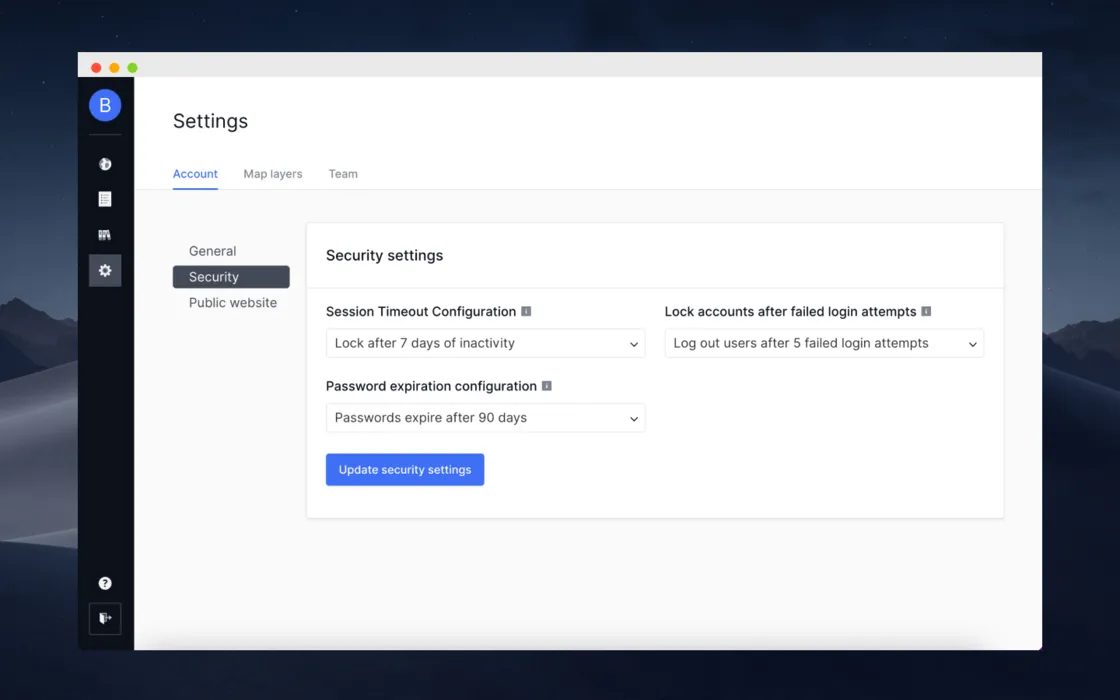
We built out a security settings UI for users to configure their Forerunner security settings based on their community's specific IT security requirements. Users with Manager permissions can now update the following account security configurations directly in their Settings tab without having to reach out to the Forerunner team.
- Session timeout configuration - select the number of minutes of inactivity in a session before a user is logged out
- Lock accounts after failed login attempts - enable password expiration for all users in an account after a given time period
- Password expiration configuration - select the number of failed login attempts until user accounts are locked
FAQ
The FAQ section wont appear on published site if all FAQs are empty
The FAQ section wont appear on published site if all FAQs are empty
The FAQ section wont appear on published site if all FAQs are empty
The FAQ section wont appear on published site if all FAQs are empty
The FAQ section wont appear on published site if all FAQs are empty
The FAQ section wont appear on published site if all FAQs are empty
Ready to see how Forerunner can support your community?
Book a demo